.png?fit=max&auto=format&n=kg7DOeb3LjeDp7us&q=85&s=97f9180a06d637bed699a5478a30463b)

Send
Send pays someone you’ve already saved as a beneficiary. It’s one of the four quick actions on your home screen, alongside Receive, Swap and Buy — and you can switch between them using the tabs at the top of the panel without closing it. The flow is the same whether you’re paying a crypto wallet or a bank account. What changes is what the recipient ends up holding.Send only pays saved beneficiaries. If the person you want to pay isn’t in your list yet, add them first — see Add a Beneficiary.
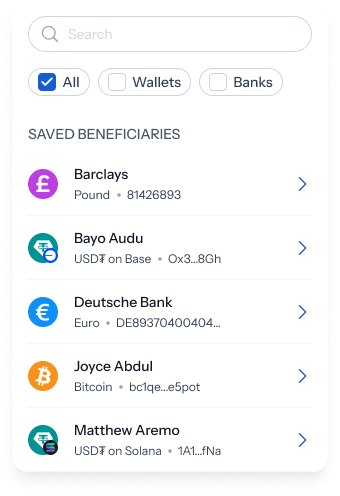
1. Open Send and pick who’s being paid
The panel opens with two cards: what you’re sending at the top, and what the recipient gets underneath. At the top, To: starts as Select beneficiary. Everything else is greyed out until you choose — both amounts show 0, and Review send stays disabled.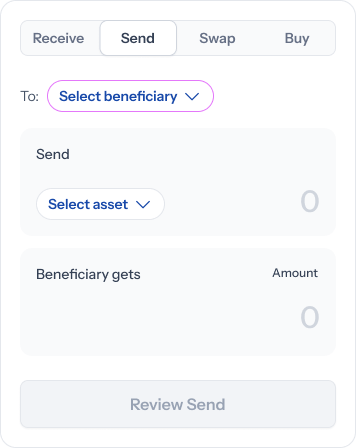
2. Choose what you’re sending
Once a beneficiary is picked, the bottom card locks to what they receive — “Joyce Abdul gets” with a fixed Bitcoin chip for a wallet, or “Barclays (…6893) gets” with a fixed Pound chip for a bank account. You can’t change that side. It’s set by the beneficiary you saved.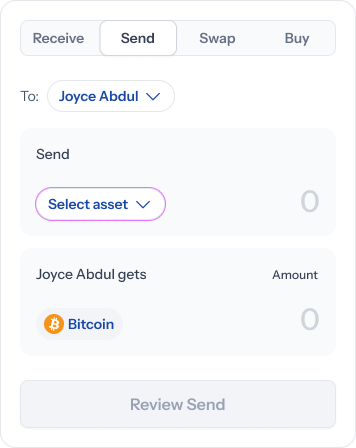
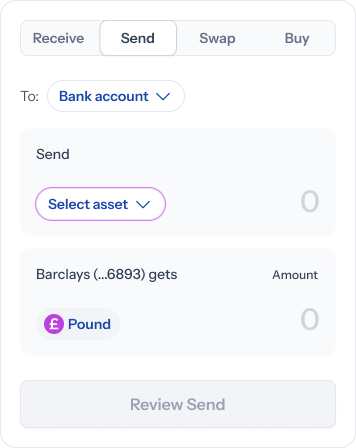
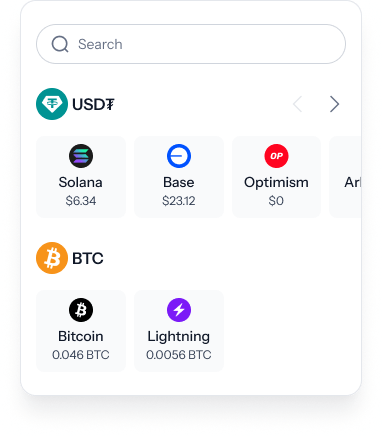
You’re choosing a network, not just an asset. USD₮ on Solana and USD₮ on Base are separate balances, and the one you pick is the one that gets debited.
3. Enter the amount
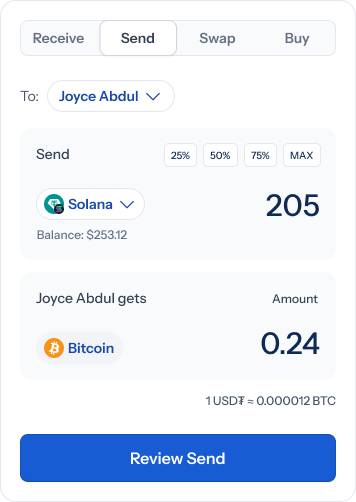
With both sides set, the top card shows your Balance for the network you picked, and four quick-fill chips — 25%, 50%, 75%, MAX. A conversion rate sits to the right of the cards: “1 USD₮ ≈ 0.000012 BTC” for a crypto payout, or “1 USD₮ ≈ 0.73 GBP” for a bank one.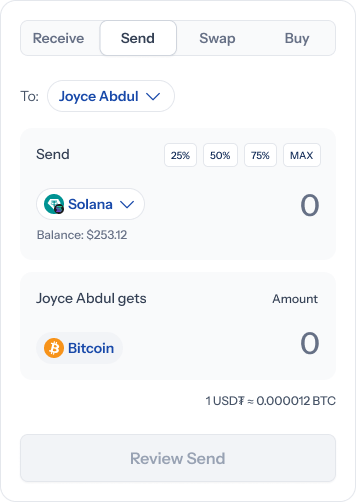
Paying a bank account? There’s one extra field
Sending to a bank adds Narration (optional) — a free-text box that reads “Enter a description…” until you type in it. It’s the reference the recipient sees on their statement.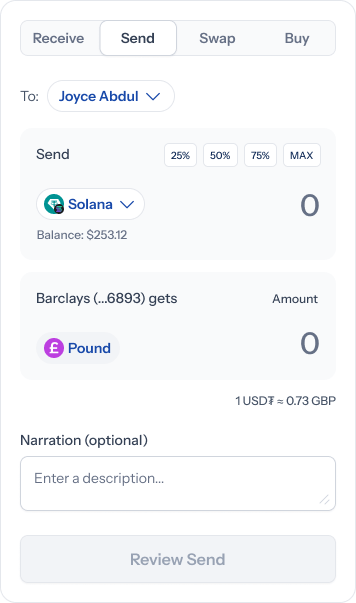
4. Review before you send
Review send opens a summary headed with what’s leaving and where it’s going — for example “Send 0.24 BTC to Joyce Abdul”, or “Send 150.34 GBP to Barclays (81426893)”. Three rows underneath: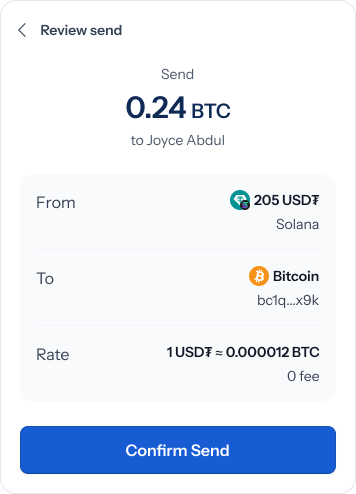
5. Done
A confirmation reports what’s on its way — “0.24 BTC on its way to Joyce Abdul”, or “150.34 GBP on its way to Barclays (81426893)”.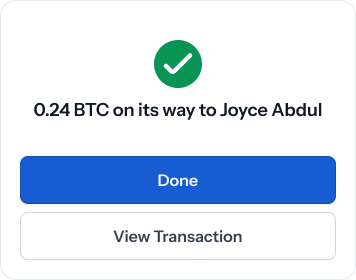
The confirmation says the money is on its way, not that it’s arrived. A crypto transfer settles when the network confirms it, and a bank payout depends on the receiving bank. Track either from Transactions.
Related
- Add a Beneficiary — save someone before you can pay them
- Swap Assets — move between your own balances instead
- Deposit — receive money rather than send it
- Transactions — the full record of what you’ve sent