.png?fit=max&auto=format&n=kg7DOeb3LjeDp7us&q=85&s=97f9180a06d637bed699a5478a30463b)

Wallet Overview
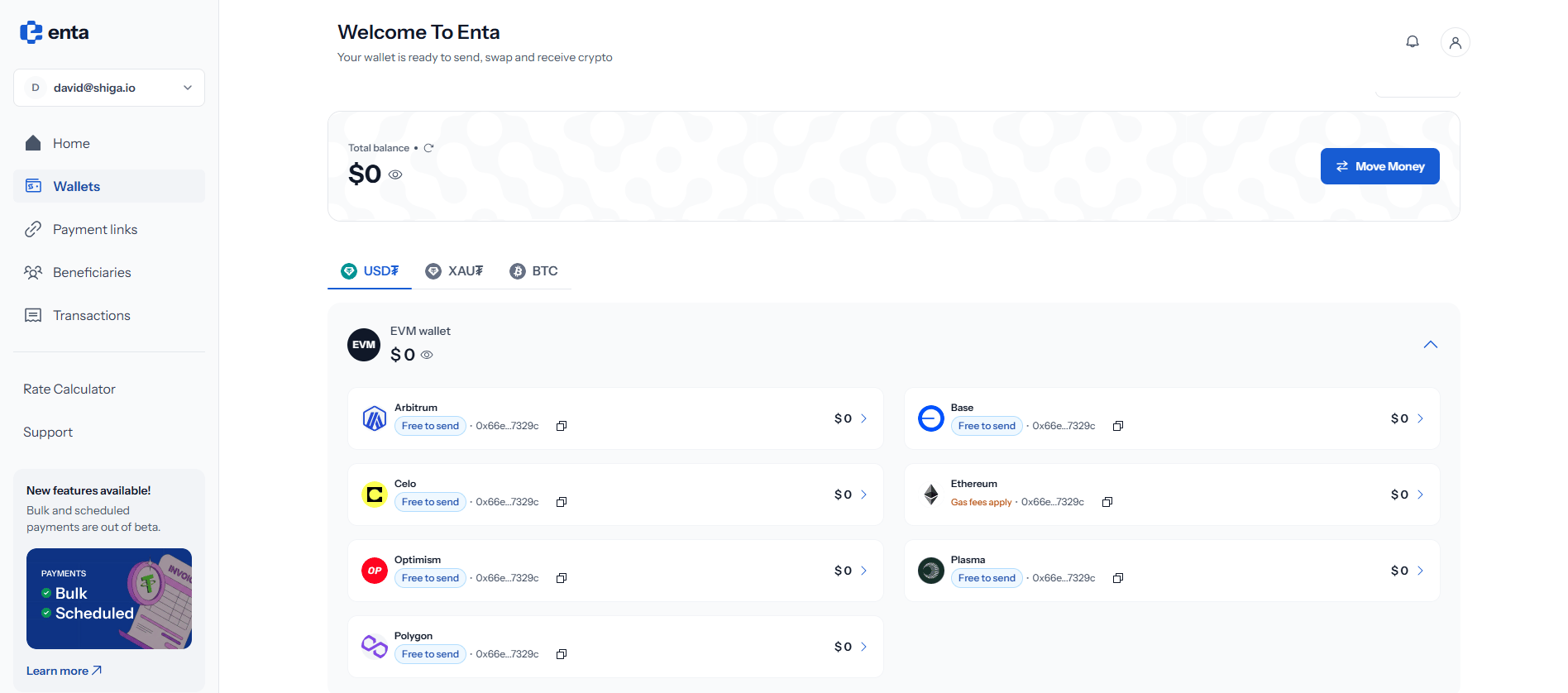
Wallets is where everything you hold lives. One page shows your total balance, then breaks it down by asset, and then by the network each balance actually sits on.1. Getting there from your Home screen
You don’t have to open Wallets to see what you hold. Your Home screen carries a Total balance card with an Assets row beneath it, showing the coin icons for each asset you hold.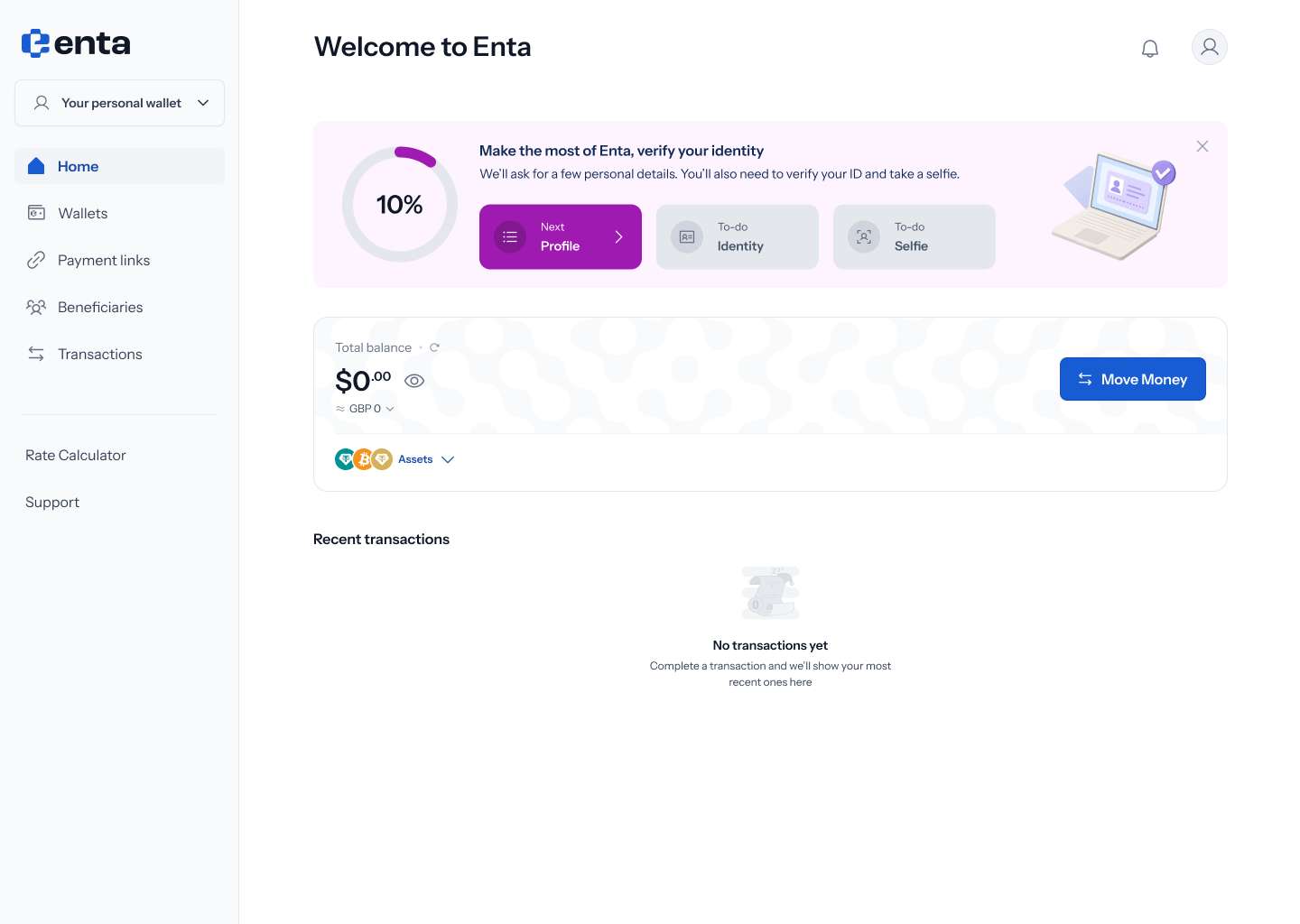
Each row shows the value in your display currency underneath, a copy icon beside each address, and a chevron on the right that opens that asset. Collapse closes the list again.
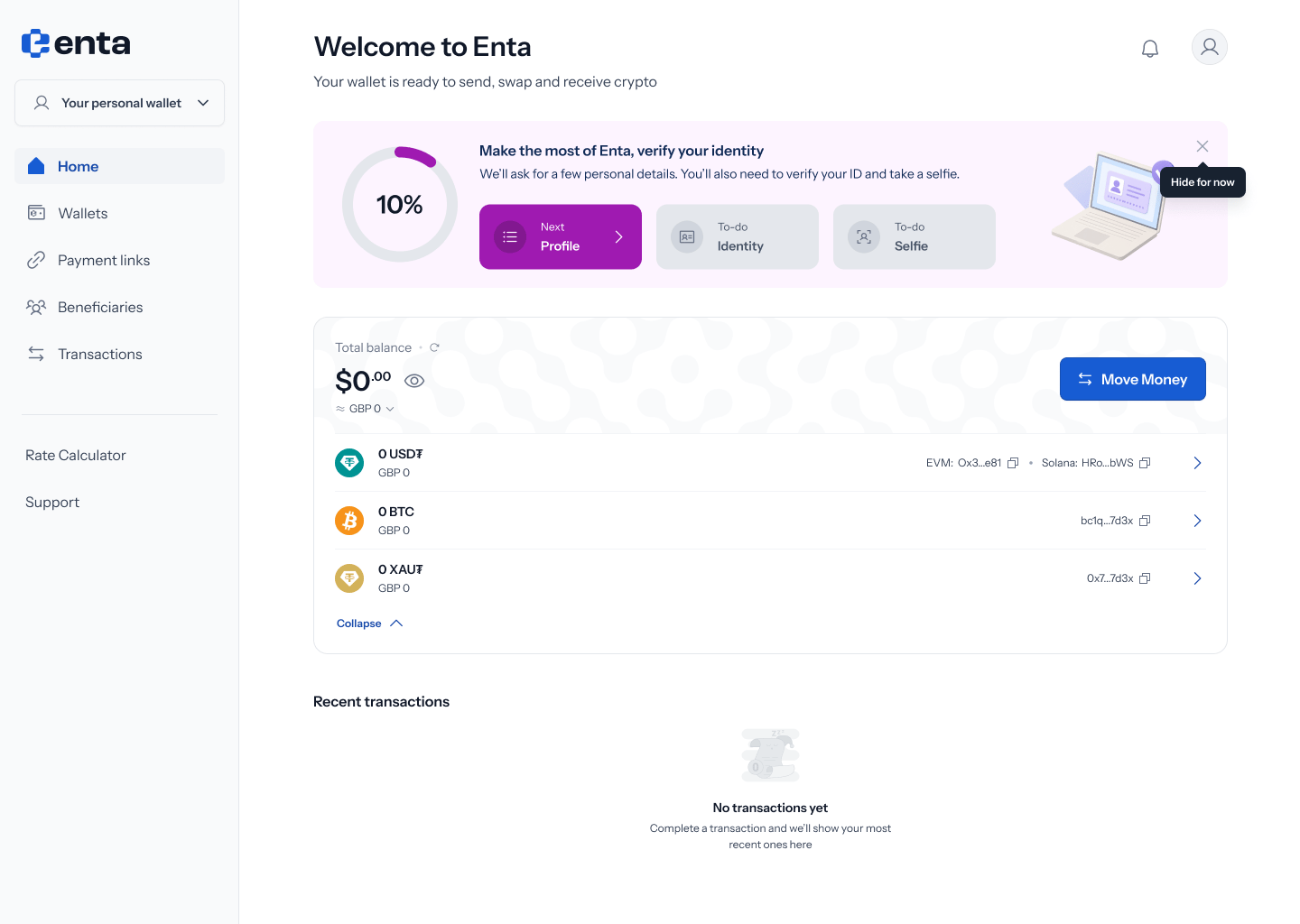
This is a summary, not the full picture. It shows one address per wallet type, so it’s the quickest way to copy an address you use often — but it doesn’t break USD₮ down across its individual EVM networks, and it doesn’t show Tron. For that, open Wallets.
2. Your total balance
Open Wallets from the left-hand menu for the full breakdown. The card at the top shows Total balance across every asset and every network, converted into a single figure. Three controls sit around it:- The eye icon hides the figure, for when you’re on a shared or public screen
- The refresh icon pulls the latest balances and prices
- View balances in, at the top right, switches the display currency — USD by default
Your total is an approximation. Crypto prices move constantly, and the gold price behind XAU₮ moves independently of both, so the figure updates each time you refresh.
3. The three assets
Below the balance card, tabs separate your holdings by asset. Each tab shows only the networks that asset lives on, which keeps the list short and stops unrelated chains cluttering the view.
Each asset has its own guide covering the networks it supports and how to choose between them.
4. How each tab is laid out
Every tab follows the same shape. Balances are grouped by wallet type rather than listed flat, so a single row can stand for several networks at once. Tapping the chevron on the right of a row expands it into the individual networks underneath. Each network row then shows:- That network’s balance, with its approximate value beneath
- The wallet address it uses, truncated, with a copy icon
- A chevron on the far right that opens the wallet on its own page