> ## Documentation Index
> Fetch the complete documentation index at: https://docs.entashiga.io/llms.txt
> Use this file to discover all available pages before exploring further.
# Filter Beneficiaries
> Search and filter your Beneficiaries list, start to finish.
# Filter Beneficiaries
Once you've saved more than a few beneficiaries, search and filters help you find the one you need.
This is a different guide from [Beneficiaries List](/Product/Beneficiary/liststates), [Add a Beneficiary](/Product/Beneficiary/addbeneficiary), [View Beneficiary Details](/Product/Beneficiary/viewdetails), [Edit Beneficiary Details](/Product/Beneficiary/editdetails), [View Beneficiary Transactions](/Product/Beneficiary/viewtransactions), and [Delete a Beneficiary](/Product/Beneficiary/deletebeneficiary).
***
## 1. Search and filter by account
Use the search field (placeholder *"Search by name, currency, or address"*) to look for a beneficiary by name, currency, or address. Alongside it, two filter chips — **Your account** and **3rd party** — narrow the list to beneficiaries you own versus everyone else's.
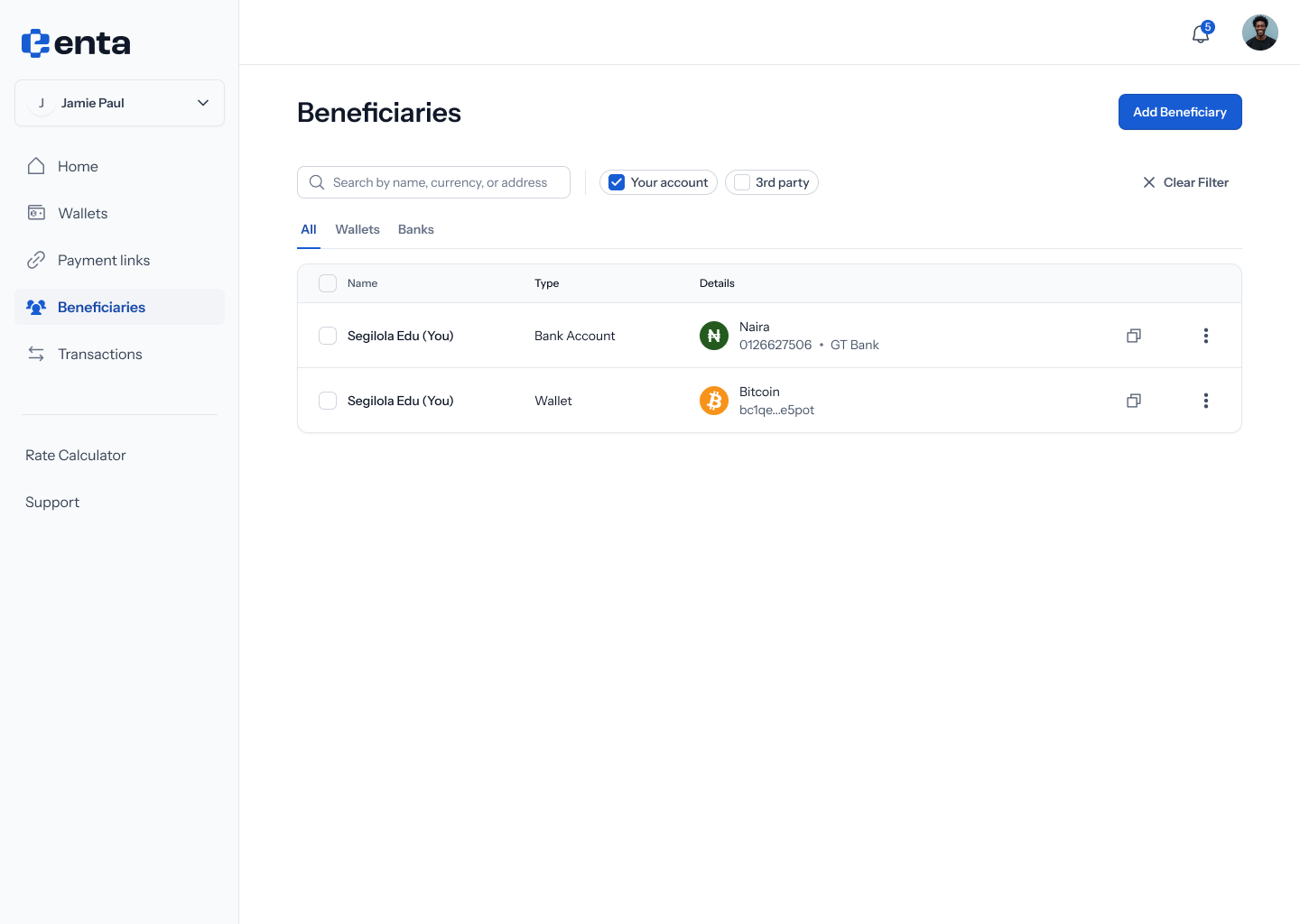 The **All** / **Wallets** / **Banks** tabs also filter the list by beneficiary type — see [Beneficiaries List](/Product/Beneficiary/liststates) for how those look.
## 2. No results
If your search or filter doesn't match anyone, you'll see: **"No results for "...""** — *"Try checking the spelling or search using another keyword. You can also add this person as a new beneficiary"*.
The **All** / **Wallets** / **Banks** tabs also filter the list by beneficiary type — see [Beneficiaries List](/Product/Beneficiary/liststates) for how those look.
## 2. No results
If your search or filter doesn't match anyone, you'll see: **"No results for "...""** — *"Try checking the spelling or search using another keyword. You can also add this person as a new beneficiary"*.
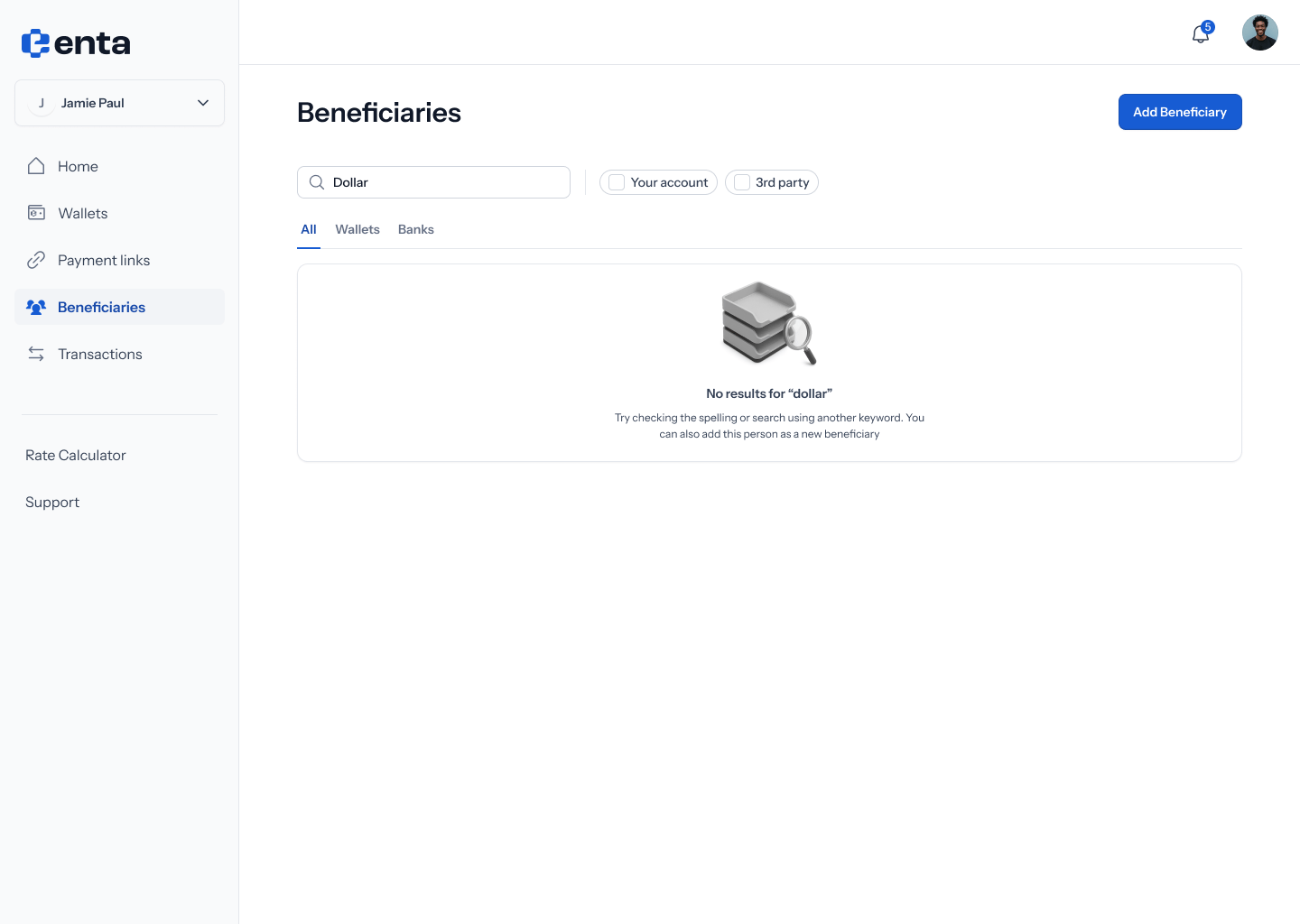 This same empty state also shows up when a filter chip (like **Your account**) matches nothing — in that case a **Clear filter** button appears so you can reset.