> ## Documentation Index
> Fetch the complete documentation index at: https://docs.entashiga.io/llms.txt
> Use this file to discover all available pages before exploring further.
# UBO KYC - Tier 2
> Verifying the business itself - five steps of company detail, four documents, and what happens after you submit.
# UBO KYC — Tier 2
Tier 2 verifies the company rather than the people. It's five steps of detail and four documents, and it's what lets a business move between cash and crypto.
Tier 1 — verifying the owners — has to be done first. See [Tier 1](/Onboarding/corporate/ubo-kyc-tier1).
***
## What it unlocks
Per the in-app prompt: **"Unlock currency-enabled transactions"** — *"Convert from EUR, GBP, NGN and more to crypto and back, then cash out to a local bank account."*
Until Tier 2 clears, the business wallet is crypto-only.
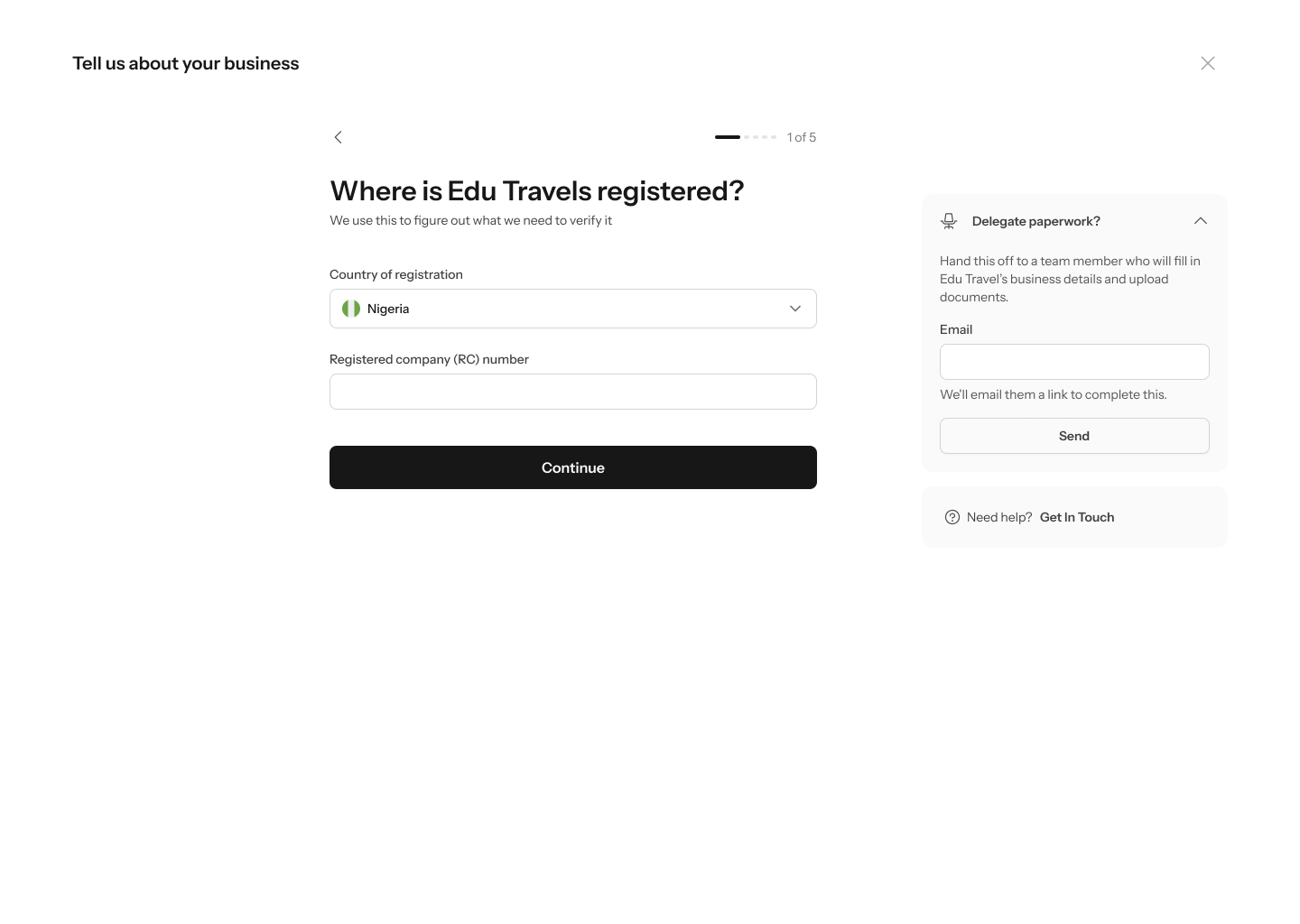
Every step has a **Delegate paperwork?** panel and a **Need help?** panel with **Get in touch**. If you're not the person who has the incorporation documents, hand this stage to whoever does.
## 1. Where the business is registered
**"Where is Edu Travels registered?"** — *"We use this to figure out what we need to verify it"*. Step **1 of 5**.
* **Country of registration**
* **Registered company (RC) number**
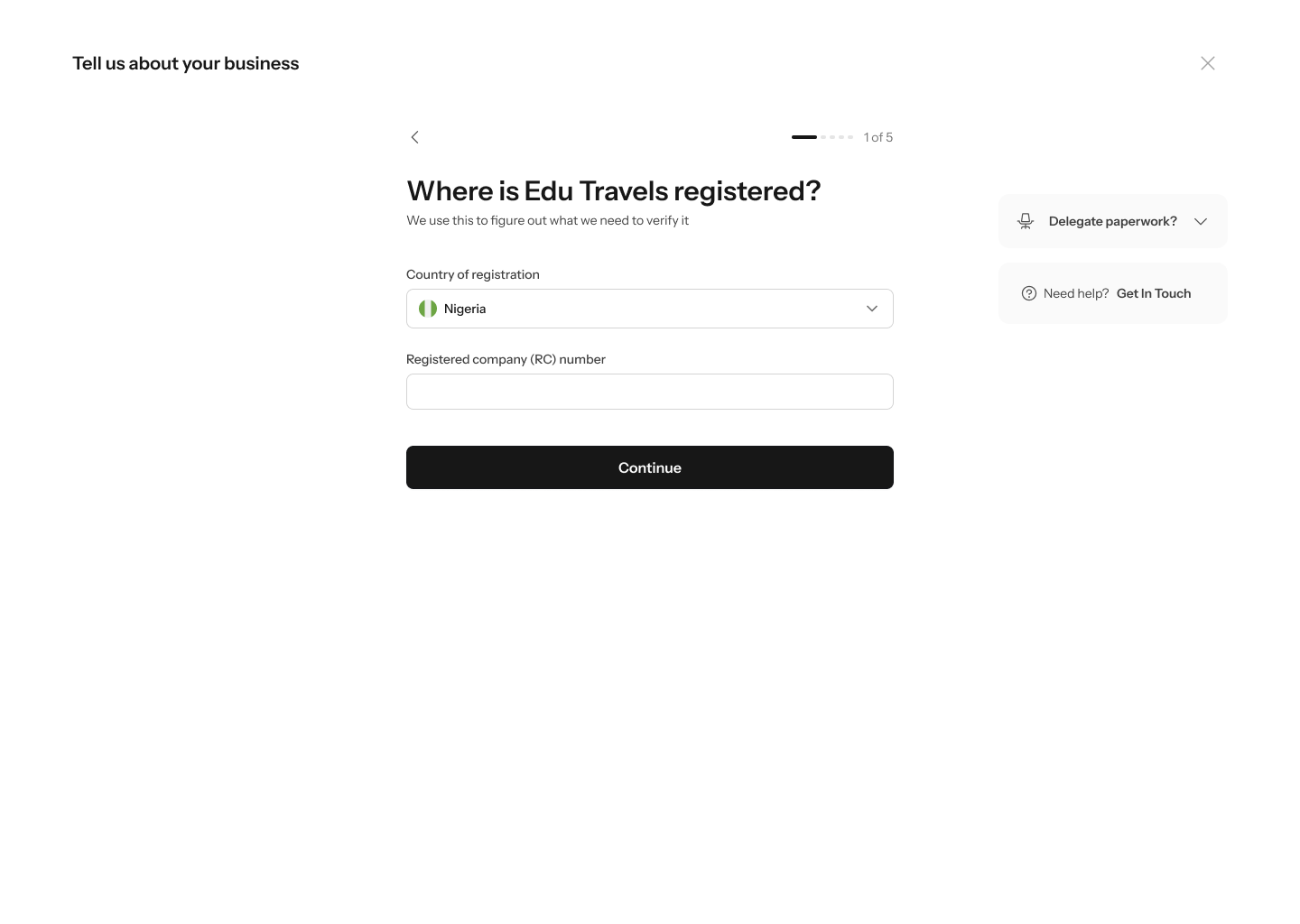 Your country of registration decides what documents Enta asks for later, so get it right — it's the registered jurisdiction, not where you operate.
## 2. How the business is owned
**"How is Edu Travels owned?"** — *"This tells us who we need to verify. Pick the option that matches your ownership."* Step **2 of 5**.
* **Owned by individuals** — *"One or more people hold the company directly."*
* **Owned by another company** — *"A parent or holding company owns Edu Travel."*
Your country of registration decides what documents Enta asks for later, so get it right — it's the registered jurisdiction, not where you operate.
## 2. How the business is owned
**"How is Edu Travels owned?"** — *"This tells us who we need to verify. Pick the option that matches your ownership."* Step **2 of 5**.
* **Owned by individuals** — *"One or more people hold the company directly."*
* **Owned by another company** — *"A parent or holding company owns Edu Travel."*
 This is the branch point. **Owned by another company** sends you through a second, full round of verification for the parent company — see [If a parent company owns you](#if-a-parent-company-owns-you) below before you start, because it changes what you need to gather.
## 3. What kind of company it is
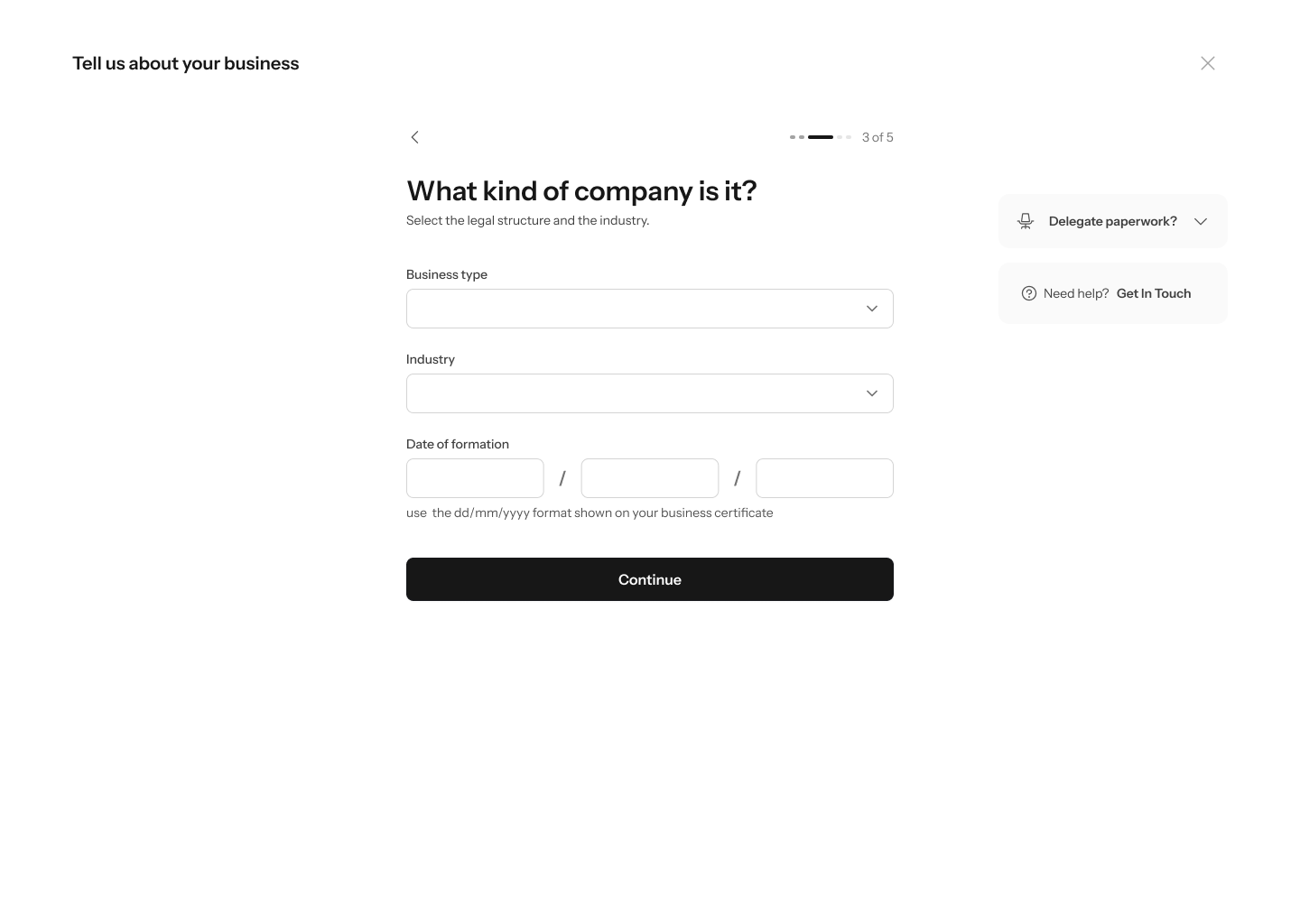
**"What kind of company is it?"** — *"Select the legal structure and the industry."* Step **3 of 5**.
* **Business type**
* **Industry**
* **Date of formation** — three boxes, with the helper *"use the dd/mm/yyyy format shown on your business certificate"*
This is the branch point. **Owned by another company** sends you through a second, full round of verification for the parent company — see [If a parent company owns you](#if-a-parent-company-owns-you) below before you start, because it changes what you need to gather.
## 3. What kind of company it is
**"What kind of company is it?"** — *"Select the legal structure and the industry."* Step **3 of 5**.
* **Business type**
* **Industry**
* **Date of formation** — three boxes, with the helper *"use the dd/mm/yyyy format shown on your business certificate"*
 ## 4. Where the business can be reached
**"Where can we reach your business?"** — *"Registered address and a contact email"*. Step **4 of 5**.
* **Country**
* **State/Province/Region**
* **City/Town/Locality**
* **Postal code / ZIP code / Postcode**
* **Address**
Then, below a divider, **Corporate email address** — *"Used for compliance notices."*
## 4. Where the business can be reached
**"Where can we reach your business?"** — *"Registered address and a contact email"*. Step **4 of 5**.
* **Country**
* **State/Province/Region**
* **City/Town/Locality**
* **Postal code / ZIP code / Postcode**
* **Address**
Then, below a divider, **Corporate email address** — *"Used for compliance notices."*
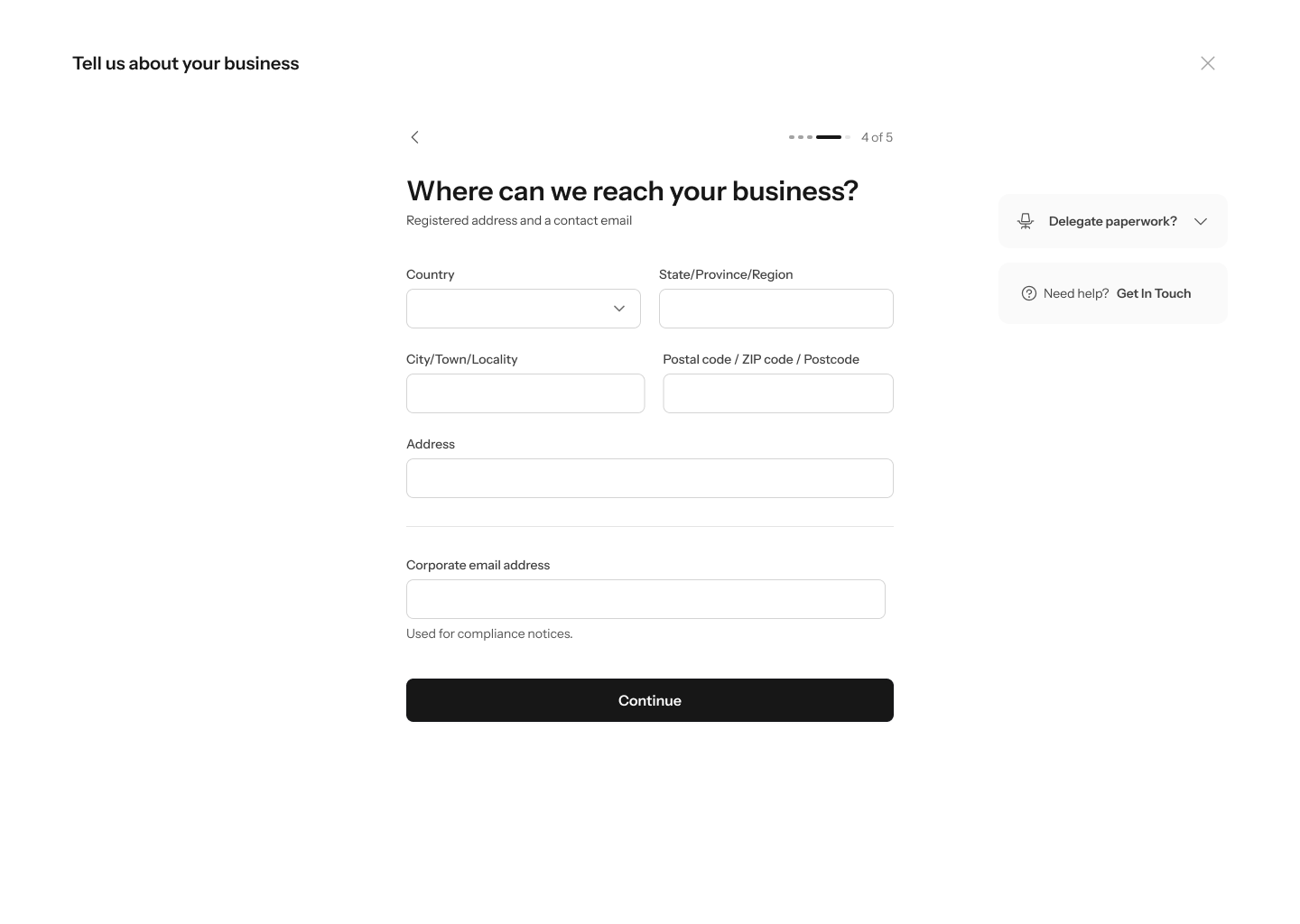 This address must be your **registered** address — the one on your incorporation paperwork — and it's what your proof-of-address document has to match.
## 5. Upload your documents
**"Upload your business documents"** — *"We need these to verify your business with regulators."* Step **5 of 5**.
Four documents:
| Document | What Enta asks for |
| -------------------------------- | --------------------------------------------------------------------------------- |
| **Certificate of Incorporation** | *"The registrar's proof your company exists. PDF or scan, all pages."* |
| **Articles of association** | *"Your company's governing document. Sometimes called bylaws or a constitution."* |
| **Proof of registered address** | *"Utility bill, bank statement or lease, dated within 3 months."* |
| **Board resolution** | *"Authorising this account, signed by the directors. If applicable."* |
This address must be your **registered** address — the one on your incorporation paperwork — and it's what your proof-of-address document has to match.
## 5. Upload your documents
**"Upload your business documents"** — *"We need these to verify your business with regulators."* Step **5 of 5**.
Four documents:
| Document | What Enta asks for |
| -------------------------------- | --------------------------------------------------------------------------------- |
| **Certificate of Incorporation** | *"The registrar's proof your company exists. PDF or scan, all pages."* |
| **Articles of association** | *"Your company's governing document. Sometimes called bylaws or a constitution."* |
| **Proof of registered address** | *"Utility bill, bank statement or lease, dated within 3 months."* |
| **Board resolution** | *"Authorising this account, signed by the directors. If applicable."* |
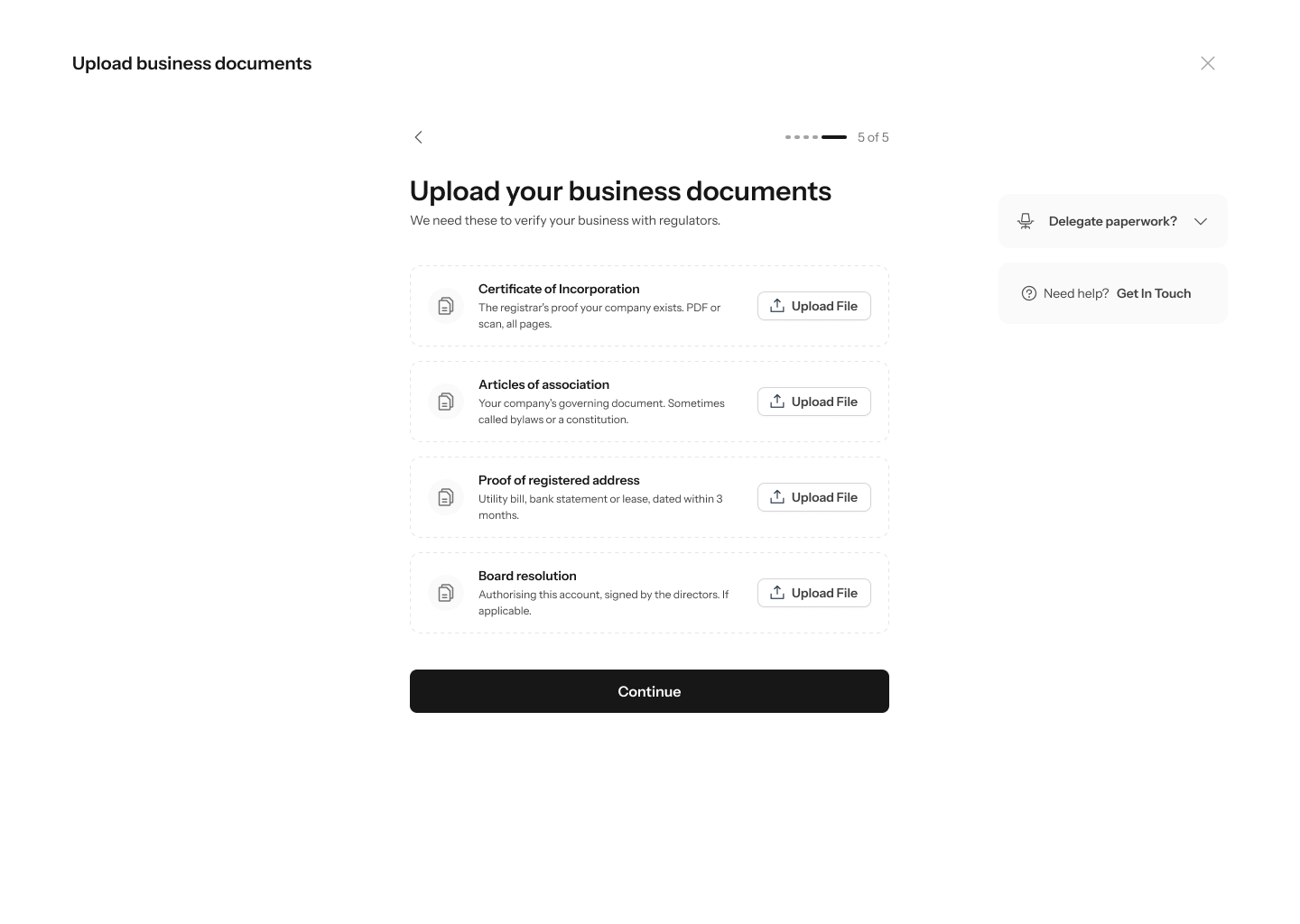 Each slot has an **Upload file** control. Once a file is attached the slot shows an **Uploaded** badge with the filename and size, and a delete icon if you picked the wrong one.
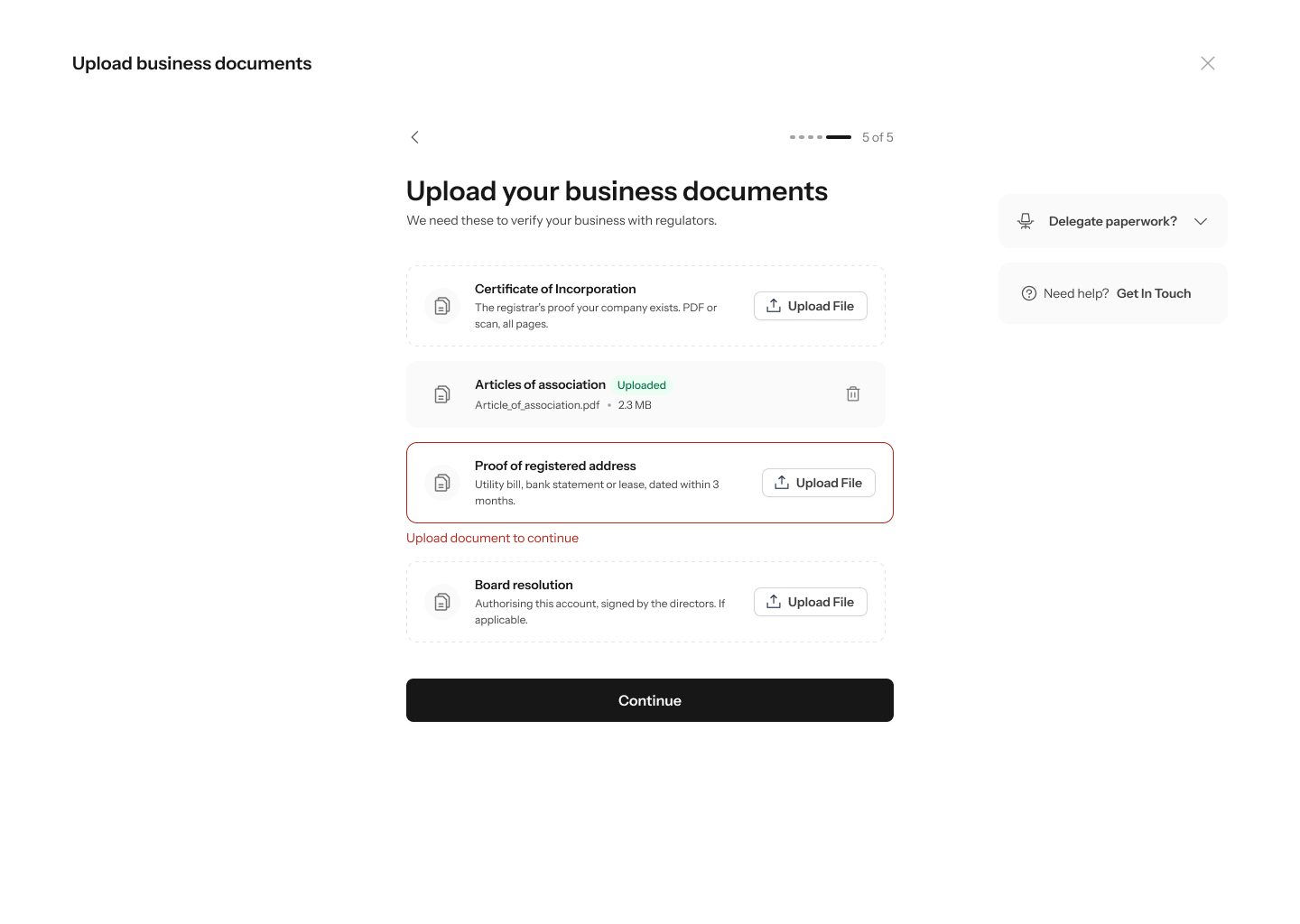 A missing required document turns its slot red with **"Upload document to continue"**. You can't pass this step without them, so gather all four before you start.
**Board resolution** says *"If applicable"* — smaller companies without a formal board often don't need one. The other three are always required.
## If a parent company owns you
If you chose **Owned by another company** at step 2, Enta can't stop at your company. Regulators need to know who ultimately controls the money, so the whole sequence runs again one level up — against the parent.
The screens re-title themselves so it's clear whose details you're entering: **"Tell us about the parent company"**, and headings interpolate the parent's name, as in **"Upload Horizon Holdings's documents"**.
### The parent company's details
**"What's the parent company's name?"** — *"Use the full registered name, exactly as it appears on its incorporation document."* This runs **1 of 5** through **5 of 5**, the same shape as your own company's section, asking for the parent's **Country of registration**, **Company name** and **Registered company (RC) number**.
### The parent company's documents
The parent needs its own full set — the same four:
| Document | What Enta asks for |
| -------------------------------- | --------------------------------------------------------------------------------- |
| **Certificate of Incorporation** | *"The registrar's proof your company exists. PDF or scan, all pages."* |
| **Articles of association** | *"Your company's governing document. Sometimes called bylaws or a constitution."* |
| **Proof of registered address** | *"Utility bill, bank statement or lease, dated within 3 months."* |
| **Board resolution** | *"Authorising this account, signed by the directors. If applicable."* |
### The parent company's owners
Finally, **"Add the owners of Horizon Holdings"** — *"Add everyone who owns 25% or more, or has significant control"* — a short **1 of 2** step, closing with the same reminder: *"Owners will be sent an email to verify their identity."*
This is the part that catches businesses out. The parent company's owners each receive their own identity-verification email, so completing Tier 2 now depends on people outside your company acting. Budget time for it — you can't finish this branch alone.
Two sets of incorporation documents, two sets of owners. If a holding company sits above you, gather both companies' paperwork before you begin rather than discovering the second set halfway through.
## Picking it up later
You don't have to finish in one sitting. Your home screen keeps a card reading **"Continue where you left off"** with a progress ring, which expands into a checklist:
| Task | Detail | Status |
| ------------------------ | ----------------------------------------------------------------- | ----------- |
| **Add business details** | *"A few questions about your company. You're partway through."* | **Pending** |
| **Upload documents** | *"Certificate of incorporation, articles, and proof of address."* | **To do** |
| **Add business owners** | — | **Done** |
A missing required document turns its slot red with **"Upload document to continue"**. You can't pass this step without them, so gather all four before you start.
**Board resolution** says *"If applicable"* — smaller companies without a formal board often don't need one. The other three are always required.
## If a parent company owns you
If you chose **Owned by another company** at step 2, Enta can't stop at your company. Regulators need to know who ultimately controls the money, so the whole sequence runs again one level up — against the parent.
The screens re-title themselves so it's clear whose details you're entering: **"Tell us about the parent company"**, and headings interpolate the parent's name, as in **"Upload Horizon Holdings's documents"**.
### The parent company's details
**"What's the parent company's name?"** — *"Use the full registered name, exactly as it appears on its incorporation document."* This runs **1 of 5** through **5 of 5**, the same shape as your own company's section, asking for the parent's **Country of registration**, **Company name** and **Registered company (RC) number**.
### The parent company's documents
The parent needs its own full set — the same four:
| Document | What Enta asks for |
| -------------------------------- | --------------------------------------------------------------------------------- |
| **Certificate of Incorporation** | *"The registrar's proof your company exists. PDF or scan, all pages."* |
| **Articles of association** | *"Your company's governing document. Sometimes called bylaws or a constitution."* |
| **Proof of registered address** | *"Utility bill, bank statement or lease, dated within 3 months."* |
| **Board resolution** | *"Authorising this account, signed by the directors. If applicable."* |
### The parent company's owners
Finally, **"Add the owners of Horizon Holdings"** — *"Add everyone who owns 25% or more, or has significant control"* — a short **1 of 2** step, closing with the same reminder: *"Owners will be sent an email to verify their identity."*
This is the part that catches businesses out. The parent company's owners each receive their own identity-verification email, so completing Tier 2 now depends on people outside your company acting. Budget time for it — you can't finish this branch alone.
Two sets of incorporation documents, two sets of owners. If a holding company sits above you, gather both companies' paperwork before you begin rather than discovering the second set halfway through.
## Picking it up later
You don't have to finish in one sitting. Your home screen keeps a card reading **"Continue where you left off"** with a progress ring, which expands into a checklist:
| Task | Detail | Status |
| ------------------------ | ----------------------------------------------------------------- | ----------- |
| **Add business details** | *"A few questions about your company. You're partway through."* | **Pending** |
| **Upload documents** | *"Certificate of incorporation, articles, and proof of address."* | **To do** |
| **Add business owners** | — | **Done** |
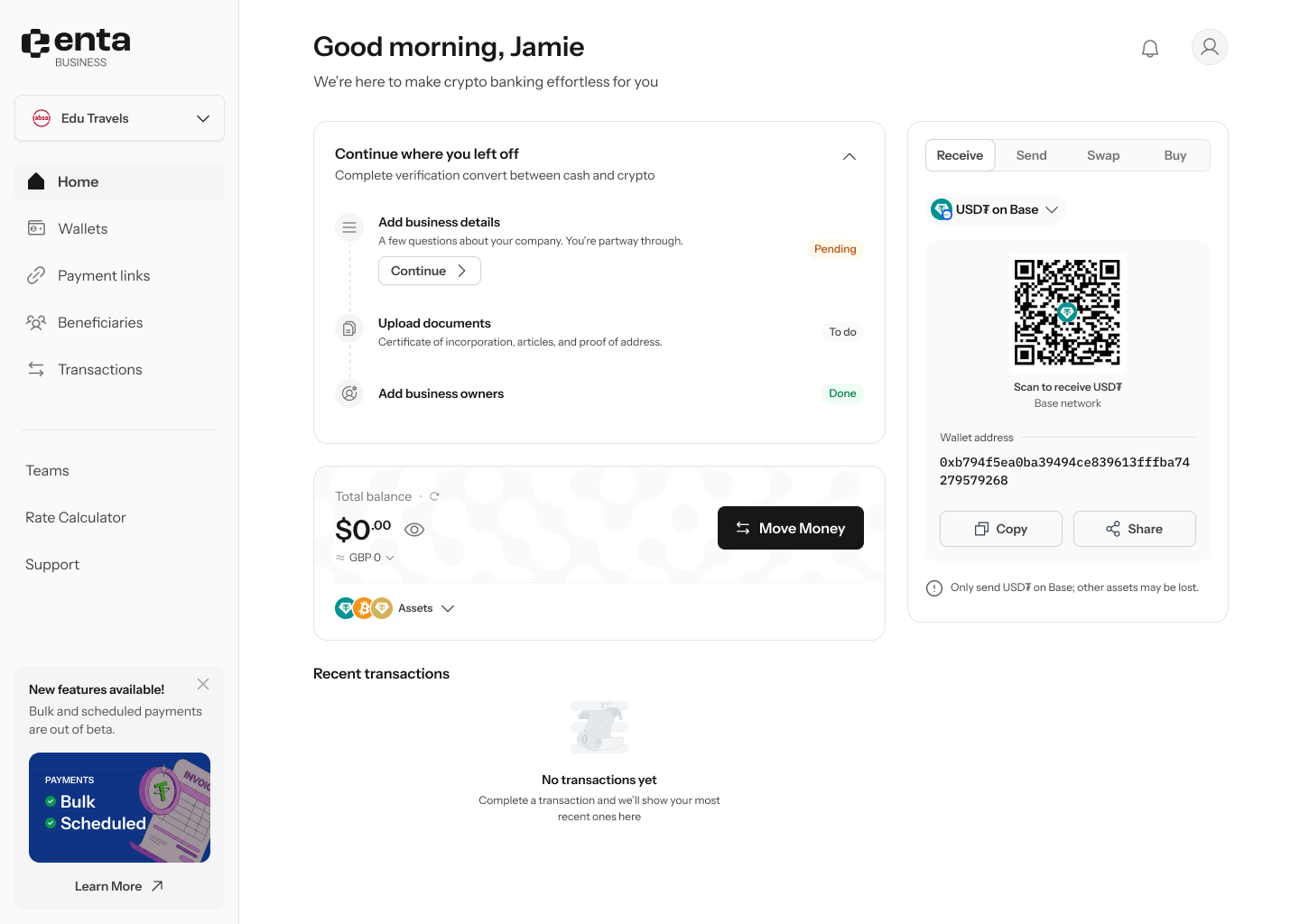 **Continue** on the in-progress task drops you back where you stopped. The card collapses to just the heading and progress ring when you're not using it.
The dashboard card reads exactly the same whether or not you're on the parent-company branch. The only signal you're on the longer path is the progress percentage moving more slowly.
## After you submit
Once everything's in, the card changes to **"We're reviewing your business details"** — *"We'll let you know as soon as it's done."*
**Continue** on the in-progress task drops you back where you stopped. The card collapses to just the heading and progress ring when you're not using it.
The dashboard card reads exactly the same whether or not you're on the parent-company branch. The only signal you're on the longer path is the progress percentage moving more slowly.
## After you submit
Once everything's in, the card changes to **"We're reviewing your business details"** — *"We'll let you know as soon as it's done."*
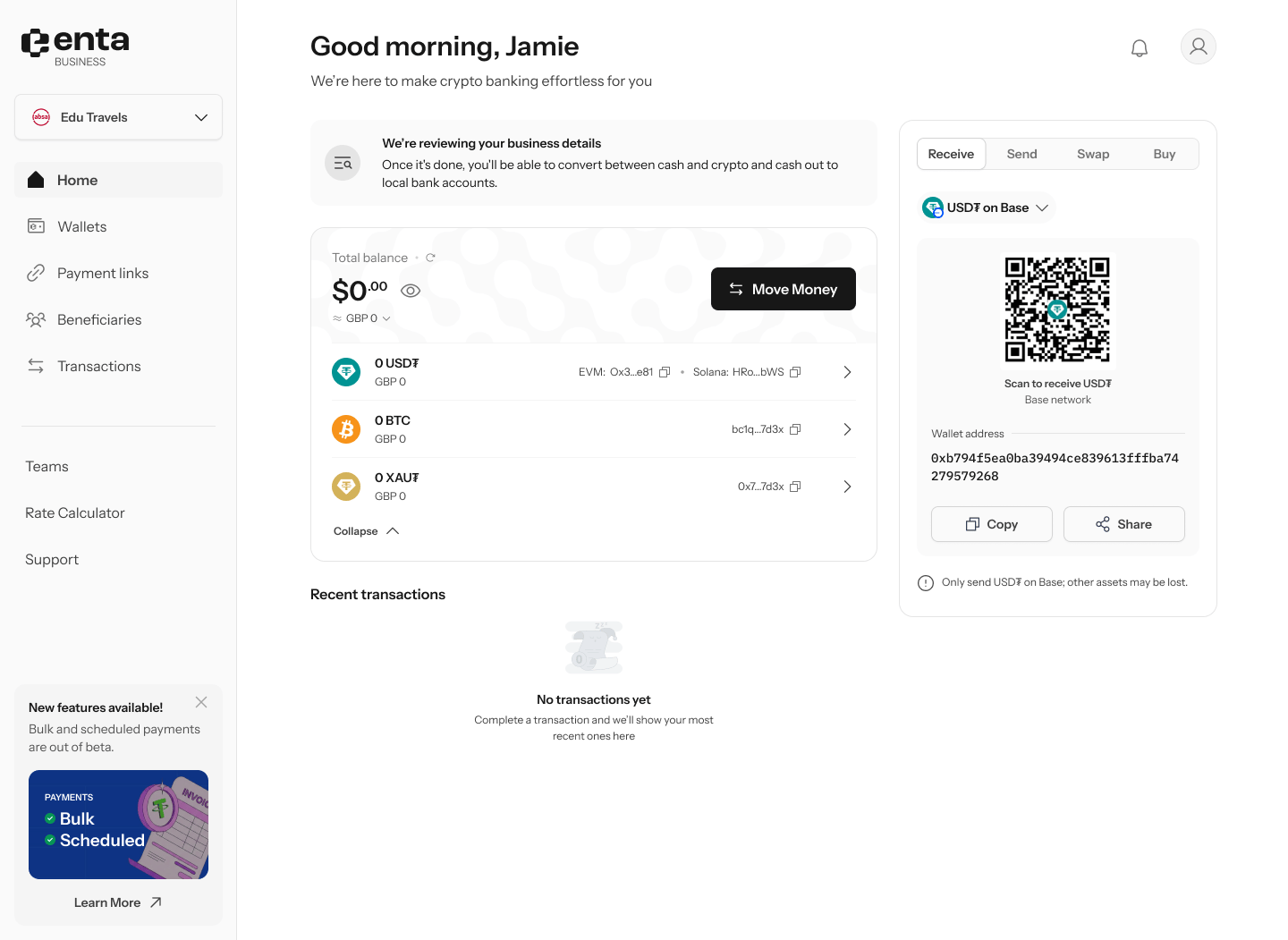 There's nothing to do while the review runs, and no action is offered. When it clears, converting between cash and crypto and cashing out to a local bank account become available — see [Bank Account (Offramp)](/MoveMoney/offramp) and [Bank Account (Fiat Swap)](/MoveMoney/bank2bank).